This next section covered in class today, was making shaped move across the canvas. We learned in class that it is important to assign a variable to name. This allows the reader to understand what they are coding and to let the computer know how to read the code. The format for creating a variable is as follows function – name – argument. (Example : let c = 5;). A variable is an empty shell or container that can store a name, number, or object. In our case we assigned numbers to our variables name. The variables in this case held the coordinates, background color, colors, etc. We also briefly touched on the difference between let and constant. Let is interchangeable as the value can be reassigned or changed if another command uses the same variable. Whereas, constant will lock the variable information not allowing any other variable to access or change what has already been assigned.
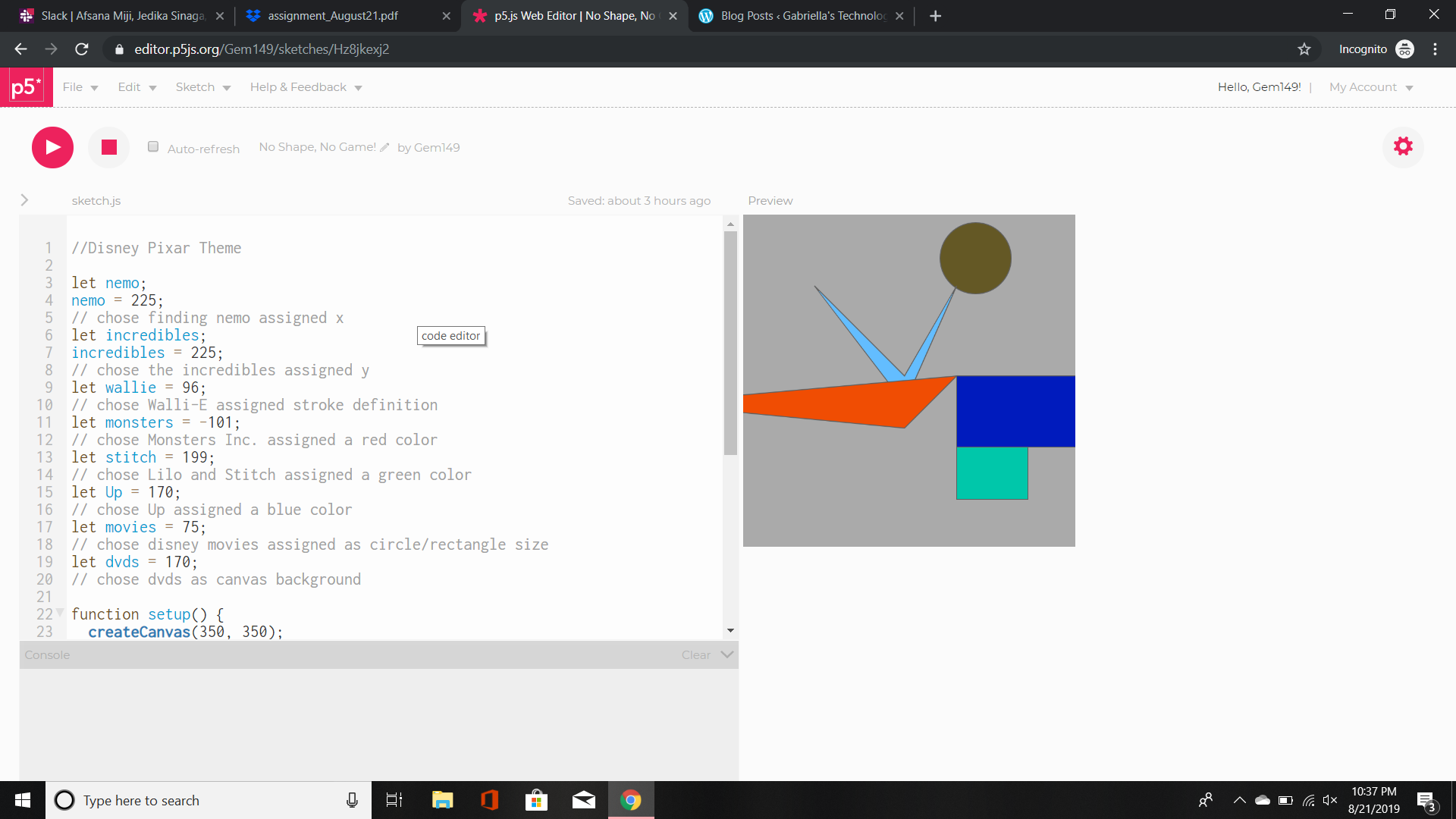
In the image above I created variables and assigned them a number from 0 to 255.
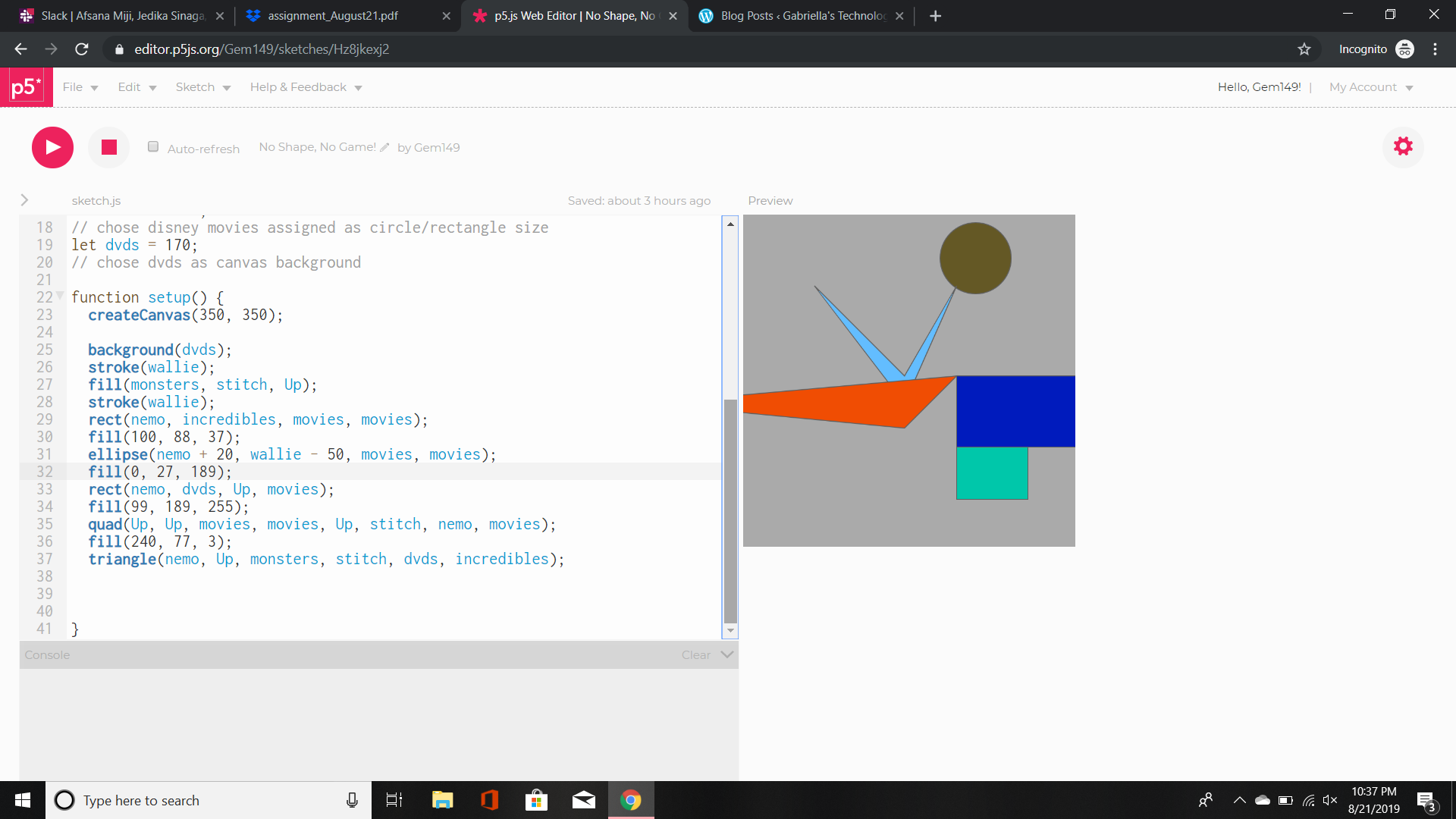
In the next image, I created shapes and applied my variables to them. In the two images above neither of the images moved. They were flat and only utilized the technique of applying our knowledge of variables.

The image above shows my disney/pixar inspired variables. I picked random numbers that I liked and applied them to the variables in the global variable. Once the code was ran, my commands were executed. The result was that the circle moved to the right and the rectangle moved diagonally to the right hand corner of the canvas. In this canvas the image is constantly moving and changing due to the loop within the draw command.
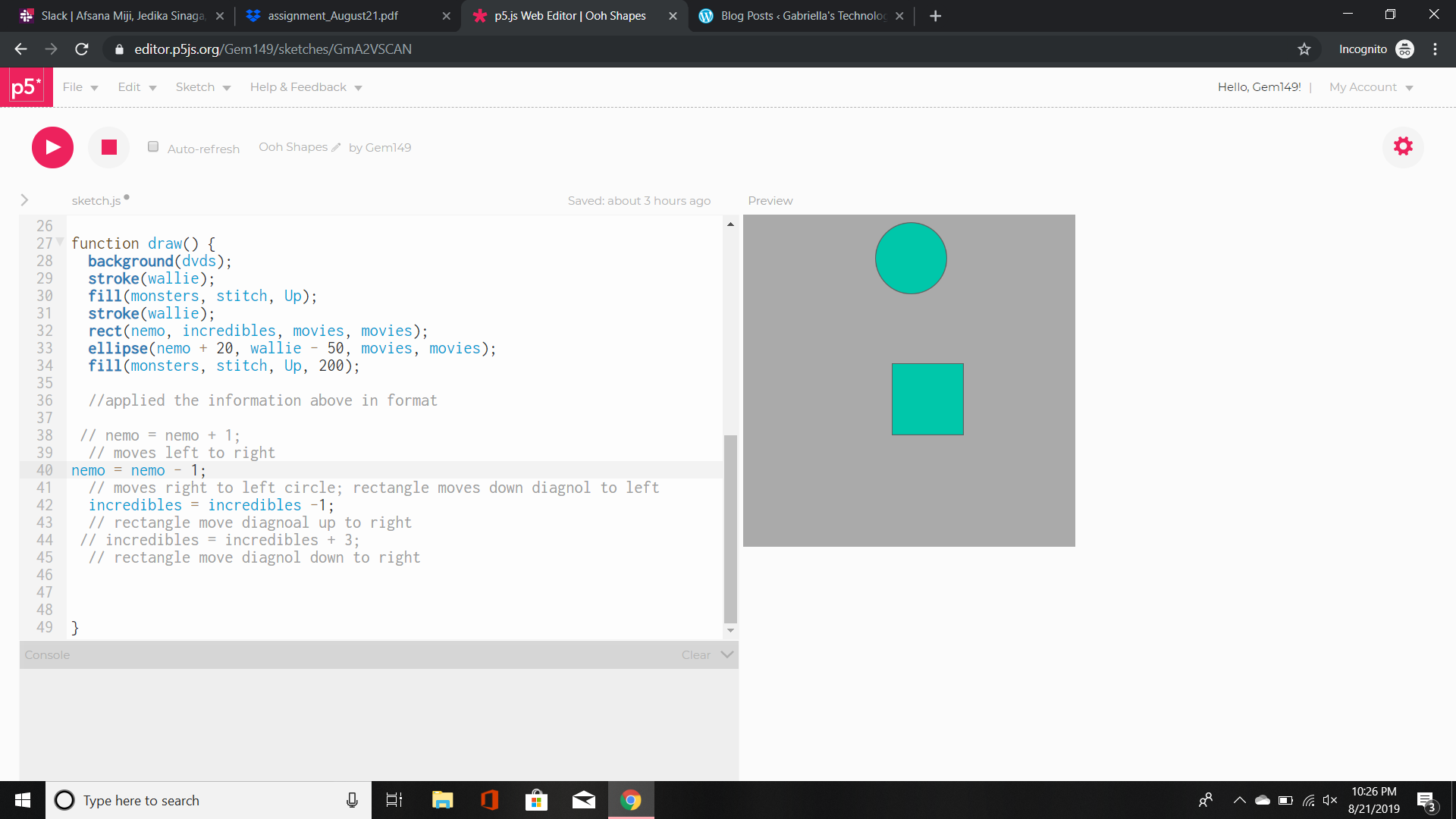
The next image demonstrates the loop that causes the circle to move backwards or rather to the left. Whereas, the rectangle moved diagonal upper left hand corner and at one point even intercepted the circle.
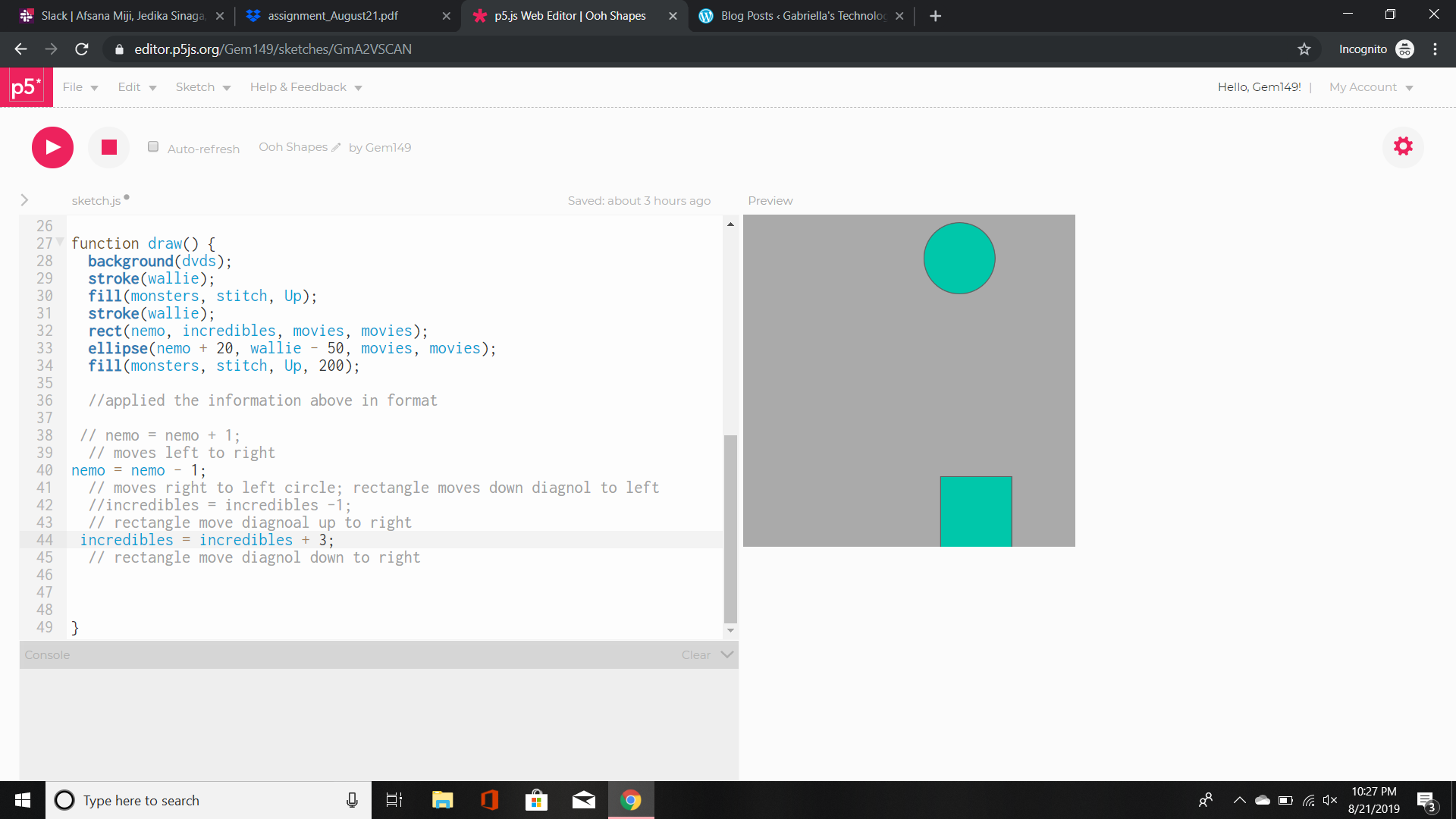
The last image in the loop caused the circle to move to the left and the rectangle to move diagonally to the bottom left hand corner.
The main issue that I’m finding is how to not loop the movement of the shapes.
Update: I learned that you can place the commands in function setup and they will only be executed once, hence no loop.
 Gabriella's Technology Showcase