Today, I took a crack at the Coding in the Dark Challenge. We were given a code and had to get certain aspects of it to work more efficiently. We were also given questions to answer to test to get a better perception on how everything blends together and how to make our code more concise and cleaner for the eye.
These were the following questions we were asked and my answers to them.
How will these variables (img and mic) be used? What is their scope? The variables that we are using are img and mic. The variable img will be used to store and later invoke the background image. The variable mic will be used to store and invoke the contents of the microphone. The scope of img and mic are global variables. What this means is the contents of the img and mic variables can be accessed and invoked and where in the code.
How does scope affect the program? The scope affects our program because the variables img and mic are used frequently in multiple functions. By making img and mic a global variable any function or line of code can access it when it is invoked.
How does this function (preload) /method work? Why is it placed before setup()?
I made reference to the preload function in the P5.dom library. The preload function allows an image to be loaded and ready in the background before the setup function is ran. The preload command is as asynchronous loading of external files in a blocking wait. By placing it before the setup command the image will be ready to be invoked before the setup command will load any other code.
What is an alternative approach to loading the image?
The alternative approach to loading the image is to look in the P5.js library under .dom. In the .dom library you can search the loadImage command. As we can see the loadImage is a command that P5 recognizes. Once P5 loads the results of loadImage we can see other examples of how we can proceed with loading the image with a different syntax. In this case we would discard the preload command and enter our commands in the setup function. That syntax is as follows function setup() { //here we use a callback to display the image after loading loadImage(‘assets/laDefense.jpg’, img => { image(img, 0, 0);}); }
What is happening in setup()?
In this setup we are calling invoking the mic variable and assigning the audio received from the microphone to the variable mic. This appears to user as asking if it can access our microphone. The mic.start function turns the microphone on.
How can this code be improved for reusability? Modularity? Go ahead and improve it.
For reusability you can assign each of the values to a variable. This would not only make the code clearer but more accessible when calling on the variable. You can improve the modularity of the code by creating an object and that contains text, functions, etc.
Where does this font come from? How does it work?
This textFont is a variable recognized by P5. In the .dom library under textFont it states that fonts represented are web safe fonts. Web safe fonts are a font that is generally available across all systems. With that in mind as long as your system recognizes a specific font it is accessible. So for example Arial is known across platform so hence it can be used.
What logic is introduced here? How can it be improved? Go ahead and improve it.
The logic that is introduced here essentially says that if the mic level received from the mic input is above 0.8 than the background changes and ‘Who turned out the lights???” is displayed in the console. This code can be improved by creating a function that sets a variable for what we want to happen when the mic.stops assuming that this is true than the image should go black and display the text. To be executed we would have to put the new function in draw.
How can the program be reset to its initial state?
To reset the function to it’s initial state you can click the stop button followed by the play to execute your code.
How can the console be cleared?
You can clear the console by first clicking the little arrow to make the console appear. Then implement your code to receive any text displayed. Once the text is displayed you can click clear next to the down arrow and the console will clear any content displayed.
What might be a drawback to using the following event-driven method/function?
A drawback of the loop() is that it will have to stop the loop and replay it in order for the code to be ran in the draw command.
What alternative approach could be used? Go ahead and improve it.
To fix this you can create a different function or change the loop type by adding an argument and adding it to the setup function which in turn should let the you go back and forth between the image appearing and going dark.
Attached below is our code as it was originally setup with no changes. Images of changes will be uploaded soon.
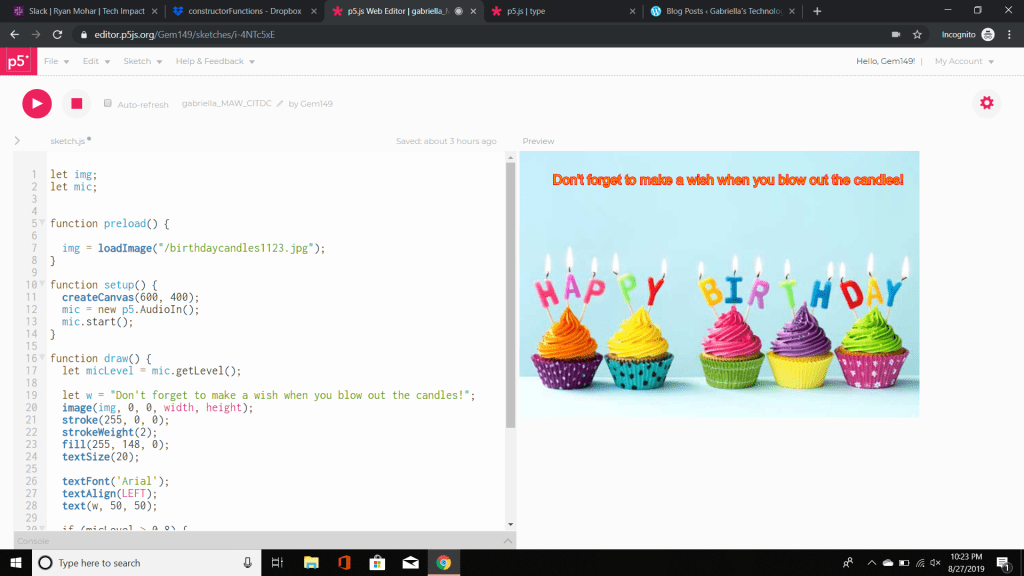
The first step for this project was to download the image. The next step was to go to sketch – add file -drag and drop file – upload – add image name in load image.
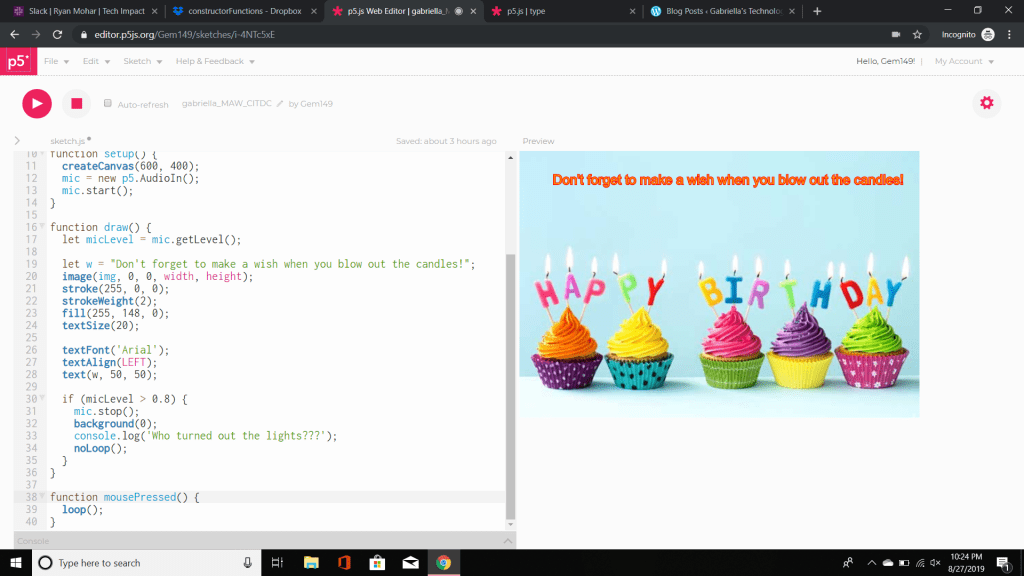
The next step was to modify the the code in this case I changed the font and text alignment. I than hit the play command to execute the code to make sure it works. It asked me to use my microphone which I accepted. From there I adjusted my sensitivity for the micLevel as it wasn’t originally working. After it was adjusted I blew into my microphone and the image went dark. In the console it displayed “Don’t forget to make a wish and blow out the candles!”.

Once I pressed the mouse the image came back up. In that case I knew everything ran successfully. From here, I started to apply my knowledge by answering the questions we were asked. I suggested ways in which we could implement change.
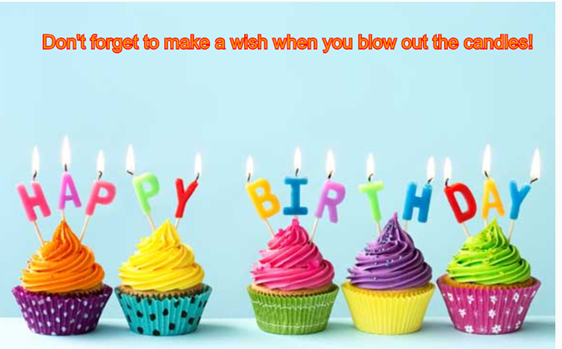
New code coming soon… these images will show the implemented changes to our code that were tidier and see if they have the same effect as our code above.
 Gabriella's Technology Showcase