My final project was a collaboration project to create pacman. I worked on this project with my classmate Arbel. What I liked about working as a team was it allowed me to work on my strength and weaknesses. By having a teammate at my side I felt like I learned a lot and even brushed up on things I didn’t know. We both had certain skills and knowledge to offer. I liked that we were both patient and put our work aside to go over things the other might not understand.
To most people our pacman game is going to be a little unconventional. We have a pacman who can move with the mouse across the screen to gobble on the poor ghosts. Our ghosts are psychedelic look and they constantly change colors as they try to flee using the mouse keys.
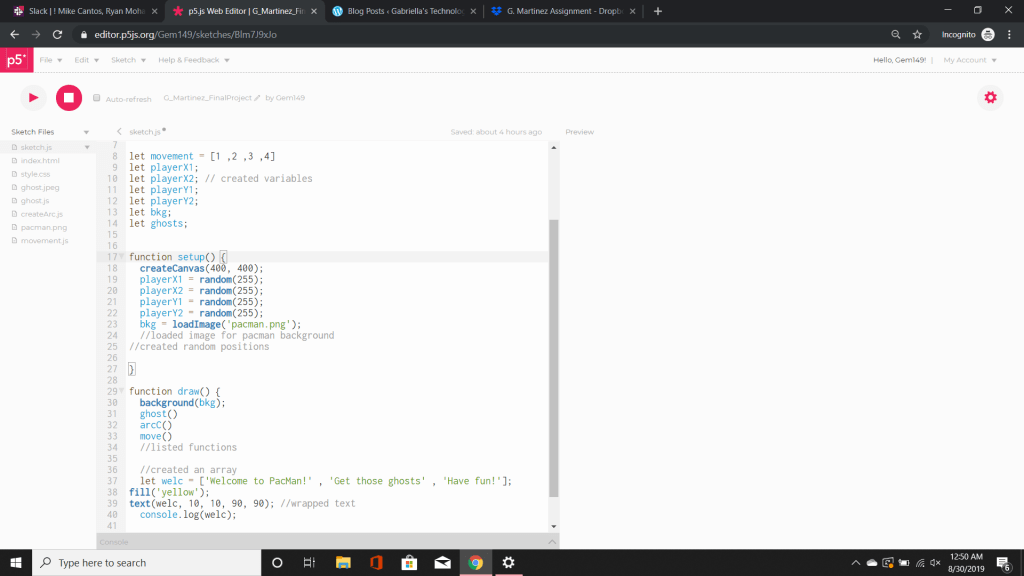
The image you see above is my collaboration code for pacman. The first step was to assign variables. Variables are empty place holders for our values. These values can be numbers or string. In this case most of our variables are not assigned as we will assign them later. After creating our variables we move onto our setup function. In our setup we begin to start assigning values to our playerX1, playerX2, playerY1, and playerY2. We set them as random values as at this moment it doesn’t matter what happens to them. The next step we did was to assign our bkg which is short for our made up term background. We then used the code loadImage to download a file. To do this we found an image and saved it to our computer. We then went to sketch – add file – and drag and dropped the image. Once it loaded it is displayed in the left hand corner of the screen as either a jpeg, jpg, or png. Now that we have done that we can move on to the draw command. In here we looked at the word background and assigned our variable bkg. What this will do is assign the loaded image to our canvas.
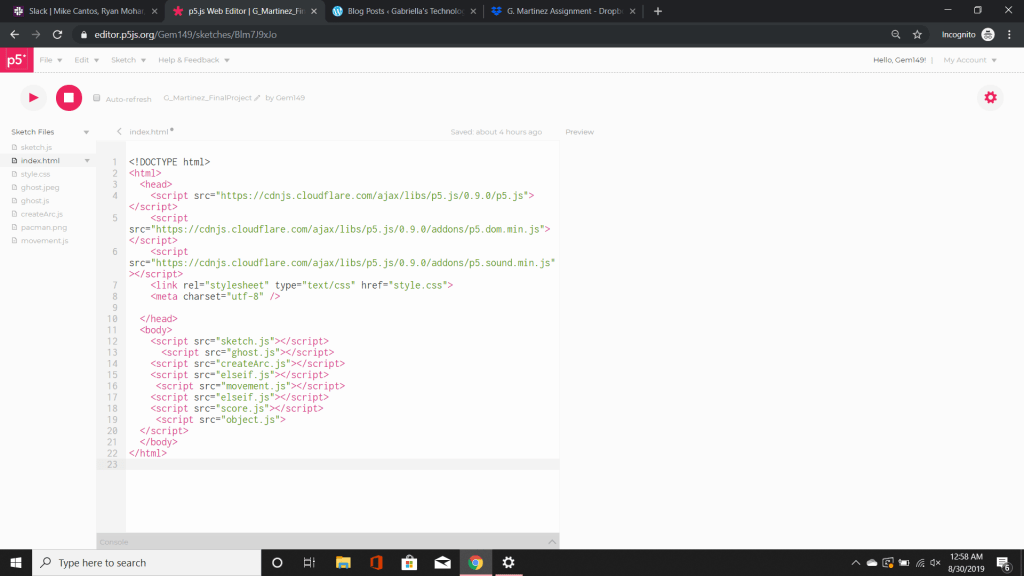
The following things you see under background are our functions that we created. These functions were created in other sketches and linked via our HTML. This allows them to be accessed by the main sketch and executed.
What you see above you which may appear to the naked eye as blank is actually our downloaded images. These are the images we uploaded so that we can use as our background.
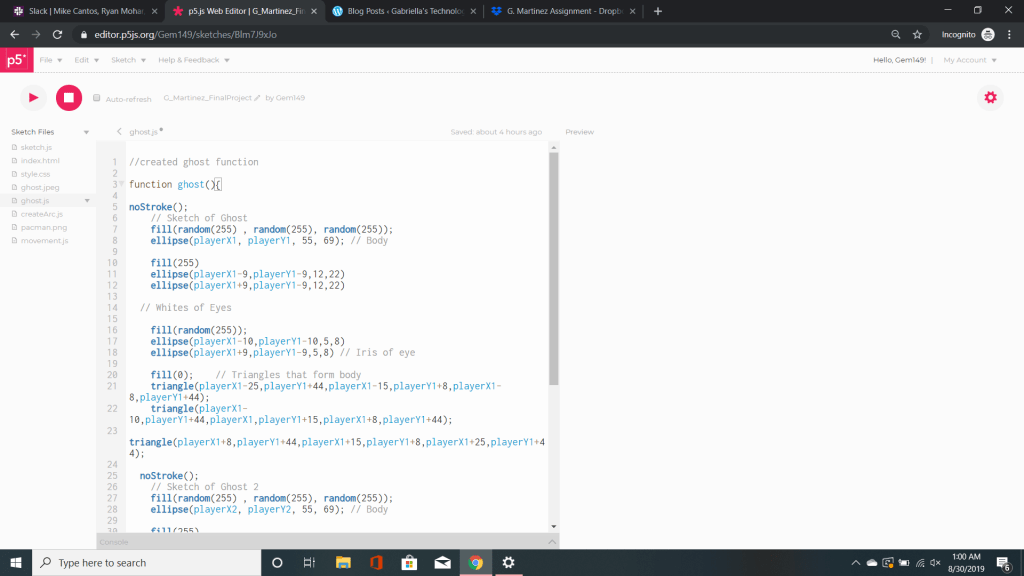
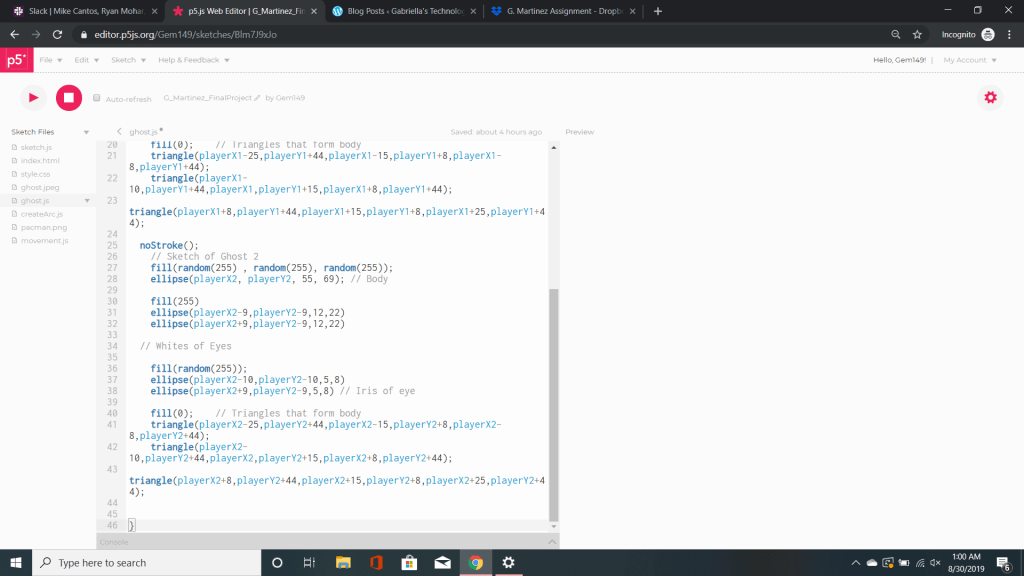
The next step we did was create a function called ghosts. Inside of ghosts is our code for our shapes. These codes when loaded together will make our ghosts appear. To give the ghosts a psychedelic look we assigned the fill to random. What this will do is every time the code is reset the color and starting location of the ghost will change.
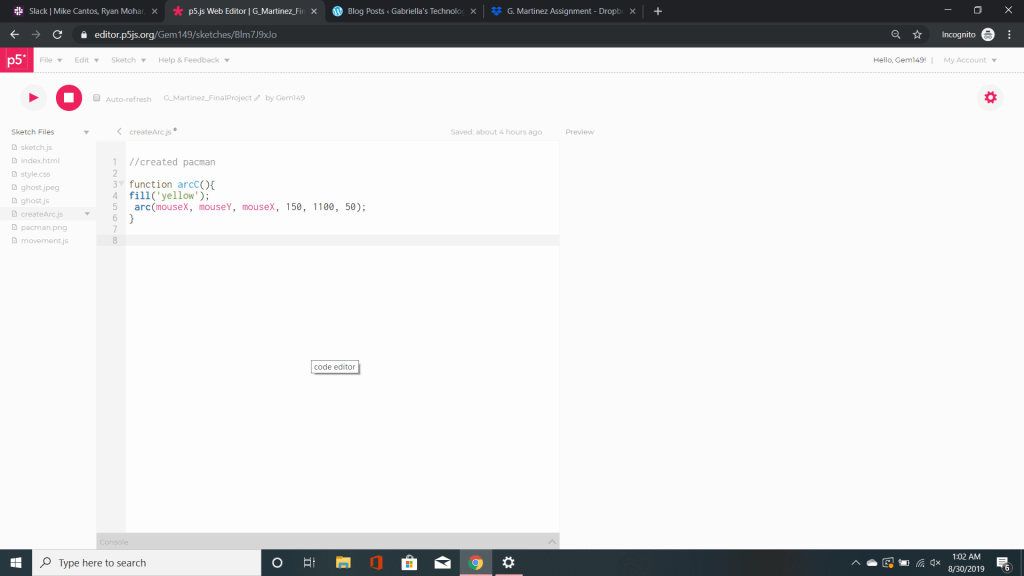
The next step was to create a function called arc. Arc is a command to call/create a shape to make pacman. An arc consists of six coordinates x, y, width, height, start, and stop. In this case you will see we filled the arc with the short hand reference for yellow. It will create a yellow arc on the screen. We then used a predetermined code called mouseX and mouseY. These two code allow us to move our arc anywhere across they x and y axis with our mouse.
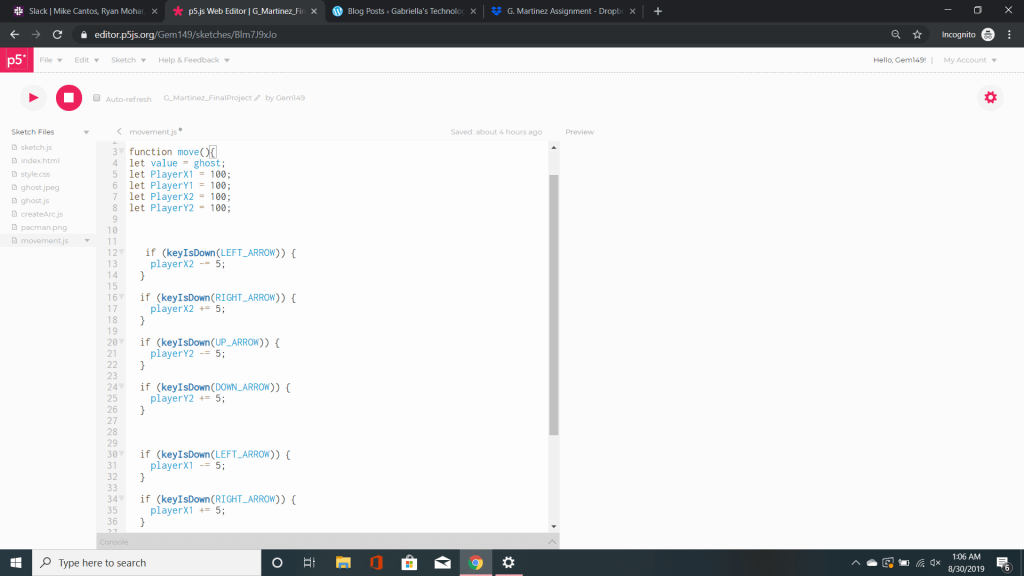
The next thing we did was create a function name move. This function is designed to help our ghosts move. We assigned our variables to a number in order to make our ghosts move. There are two things going on here. One is an if statement the other is keyIsDown. An if statement uses boolean logic to check if a statement is true, if it is the code is executed. In other words if this is on sale I buy it. The other thing we see is keyIsDown which also deals with boolean logic. In this case if a key is pressed the x increases by five while y decreases by five. This is what helps our ghosts to appear as though they are moving.
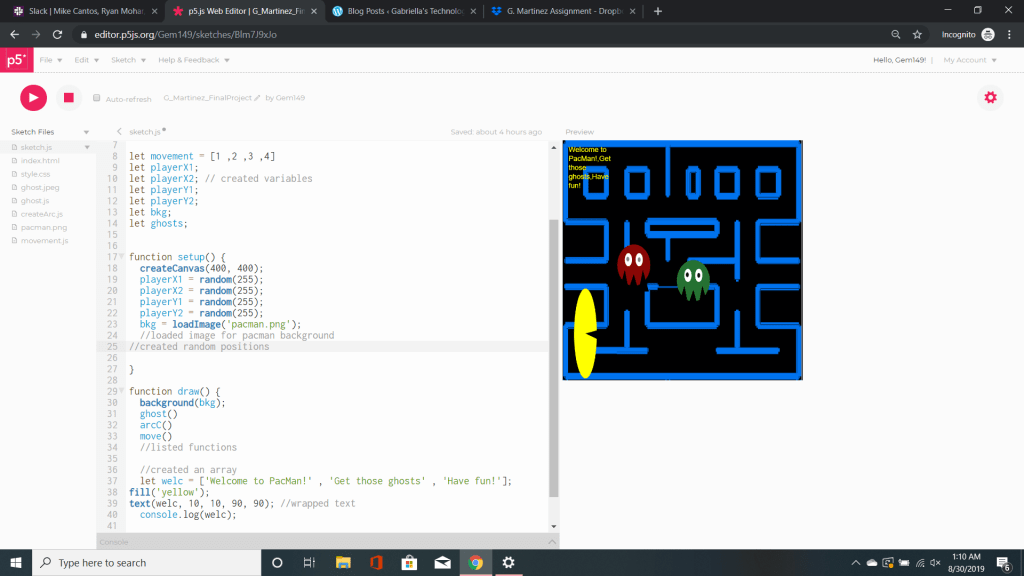
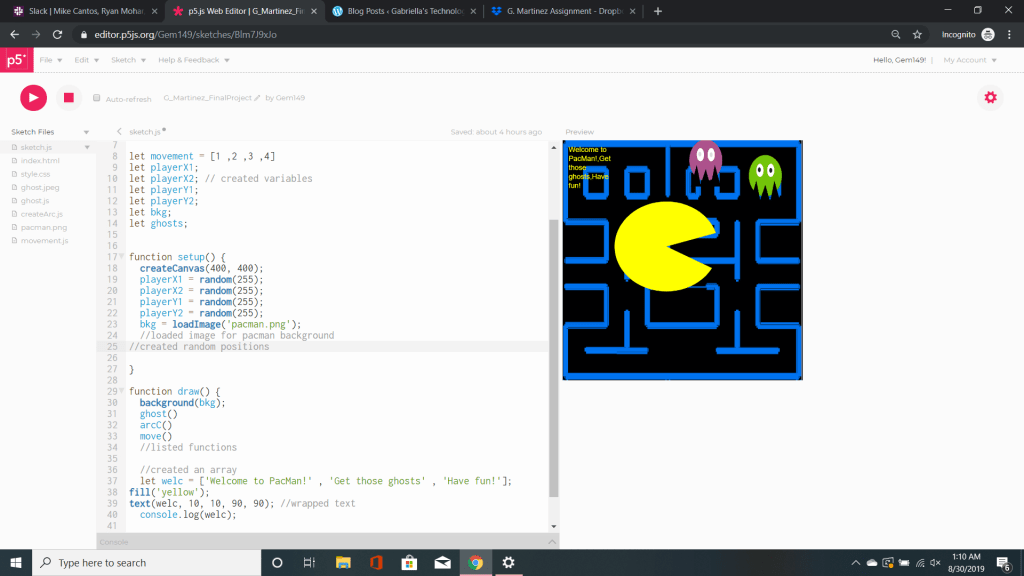
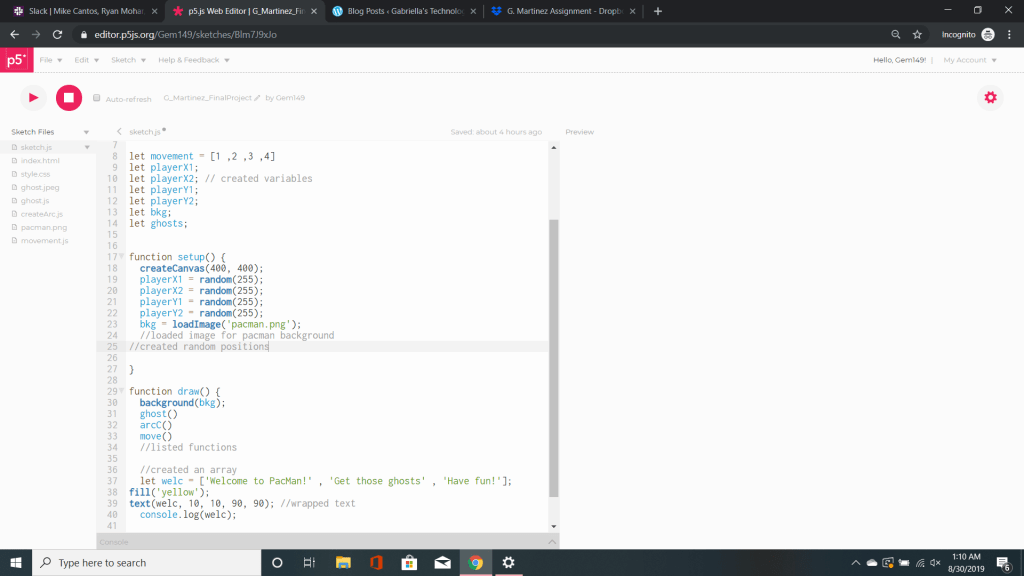
Referring back to the top page we see all our linked functions.There is also an array here. This array will allow us to store multiple strings or numbers. In this case our array says Welcome to Pacman, Get those ghosts, and Have fun. I filled the text with the short hand reference for yellow. I used the text command to display the array on my screen. What makes this specific text interesting is that I used a wrap. What this does is moves a line of text that doesn’t fit into a wrap style. What it looks like is a paragraph in the left hand corner. I also logged the command to make sure it’s contents were displayed.
Overall, I had fun with this assignment. However, my partner and I ran into our fair share of problems. Most of them we were able to tweak, while others just weren’t solvable. Part of this assignment was to make a constructor. We created a constructor but kept getting an error saying the constructor was undefined. We read multiple text and watched multiple videos to no avail. In the end we had to scrap it in order for the code to work. At another point in time I would like to update/retry this again and hopefully get a better result. I want to thank my partner for teaching me and fixing my weaknesses.
 Gabriella's Technology Showcase